Team
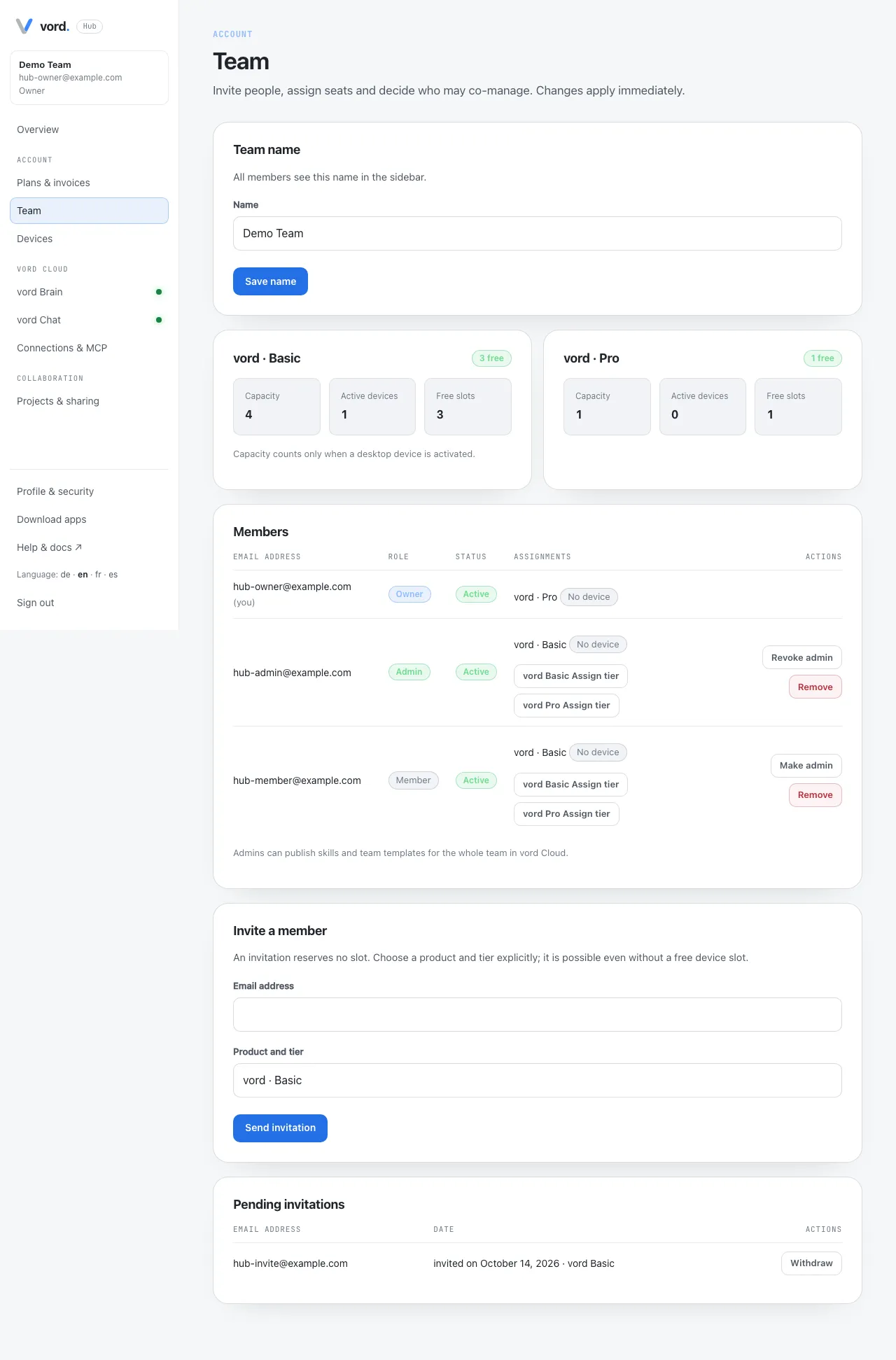
Team (/account/team): Invite people, assign seats and decide who may co-manage. Changes apply immediately. Everyone in the team can open the page. Invite, rename, role, assignment, and remove are Owner and Admin only.
A Member sees a read-only Members list (name or email, Role, Seats). There is no lead text, no Team name, no Product pools, no Invite a member, no Pending invitations, and no action controls.
Team name
Section titled “Team name”Team name (Owner/Admin). Name is 1–80 characters. All members see this name in the sidebar. Save name.
Product pools
Section titled “Product pools”Product pools are vord × Basic/Pro. Each card shows Capacity, Active devices, Free slots. Capacity counts only when a desktop device is activated. An invitation does not reserve a slot.
Members
Section titled “Members”For Owner and Admin the Members table shows email, Role, Status, Assignments, Actions.
Roles:
- Owner — cannot be changed or removed here. Ownership is currently not transferable. An owner who wants to delete the account first removes every other member; otherwise deletion stays blocked with You own a team with other active members.
- Admin — Make admin / Revoke admin. Admins can publish skills and team templates for the whole team in vord Cloud, and they share billing and team management with the owner.
- Member — default after invite.
Status is Active or Email unconfirmed. Your row is tagged (you) and has no role or remove actions against yourself.
Assign tier sets vord Basic or Pro on another person. The assignment does not reserve a device slot; capacity is checked when that Mac activates. Downgrading Pro can revoke that product’s devices and end remote/mobile features for them.
Remove asks Remove member? {email} loses access immediately: their seat, license and any connected iPhone are revoked. The subscription is reduced by one seat, prorated.
Invite a member
Section titled “Invite a member”Invite a member (Owner/Admin, and only with an active paid subscription). Email address plus Product and tier, then Send invitation. An invitation reserves no slot. They get a link, sign in with that address, and join. Pending invitations can be Withdrawn.
Without a paid plan: Invitations require an active, paid subscription. Complete a purchase first.